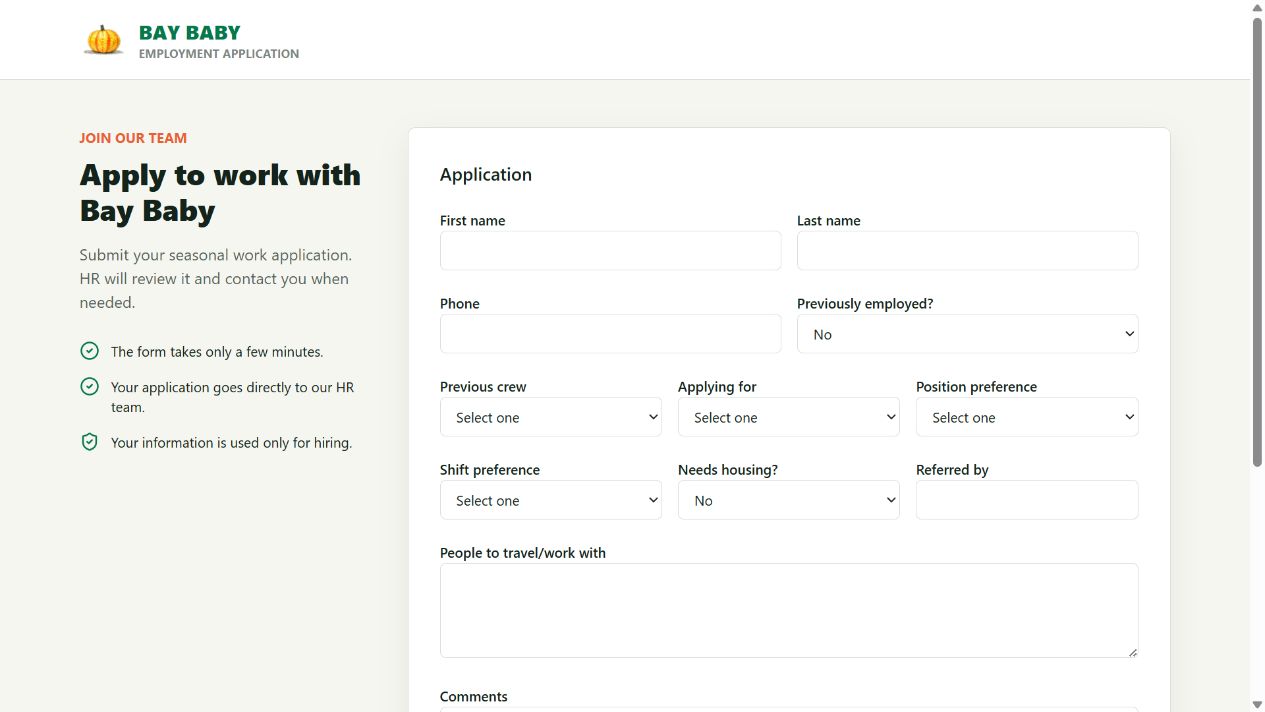
Inside a bilingual farm workforce application: QR signup, onboarding, crew assignment, attendance, spreadsheet import, and export workflows.
Build case study · Implemented workflows · Demo imagery
Actual application interface from a local demo. No live applicant records are shown. Select the image to view it at full size.
The problem this build addresses
When a large group of seasonal workers arrives at once, collecting names, phone numbers, photos, and paperwork can quickly become chaotic. Staff need a clear view of who has applied, who still needs onboarding, and who is ready for a crew assignment—then a way to keep following each person through the season.
What we built
Applicants scan a posted QR code with a phone or tablet, enter their own details in English or Spanish, optionally add a photo, and submit the form. Their application enters the HR workspace for review. Staff then move each person through onboarding, paperwork, crew and shift assignment, and the scheduled start. Submitting an application does not automatically hire or approve someone.
Inside Applicant Tracker
Scan, fill out, and submit
Post the English and Spanish QR codes where applicants arrive, or share them ahead of time. Each applicant opens the form on a phone or tablet, enters contact and work preferences, and can include a photo—without creating an account.
Onboarding to crew assignment
Workflow statuses and history, notes, onboarding scheduling, primary crew assignments, and separate day and night rosters with configurable capacities.
Attendance and follow-up
Daily attendance, printable rosters, and alerts that staff can acknowledge or resolve when a person needs follow-up.
Spreadsheets and exports
Workbook dry-run previews, import history and duplicate handling, plus people, crew, attendance, and payroll-preparation CSV exports.
Scan & apply
Review & onboard
Assign crew & shift
Record attendance & export
What changes in the workflow
The implemented workflow links intake and daily workforce administration through one person record. Staff can follow status and assignment history instead of treating each stage as an unrelated list. No time-saved or hiring-performance figure is claimed here.
Scope matters
Payroll-preparation files are exports, not a claim of an official Paycom or PickTrace integration. Templates, mappings, and acceptance by a destination system must be confirmed for the farm. Screenshots use a local demonstration, not employee data.
Your farm’s exact workflow comes first.
This project is an example of what we can build. Your screens, forms, terminology, crew structure, approvals, and reports will be designed around the way your team actually works. We map that process together before agreeing on the build.